How to Extend Outdoor Living Season Into Fall and Winter

Plus, Review Our Indoor-Outdoor Tech Checklist for Fort Worth Gatherings
In North Texas, the patio doesn't go quiet when summer ends. October and November, even December, bring some of the most comfortable evenings of the year, right as football weekends and holiday gatherings fill the calendar. With the right technology, homeowners can keep using the backyard long after most people have moved their hangouts indoors.
This guide starts on the patio and works its way inside, because the technology that keeps a backyard comfortable and entertaining in November depends on the same network and control system that will carry your holiday hosting indoors. It's written for homeowners and the design-and-build professionals who help them shape their homes.
SEE ALSO: Choosing a Smart Home Integration Partner: What Builders Should Know
What Makes An Outdoor Space Usable After Summer Ends?
The homes that get the most from their outdoor spaces treat the patio as an extension of the living room, with technology planned for it rather than added piecemeal. Cooler evenings call for warmth and a setting worth staying in for the long haul; then there's the matter of running it all without a handful of remotes and apps.
What Technology Extends the Outdoor Living Season?
-
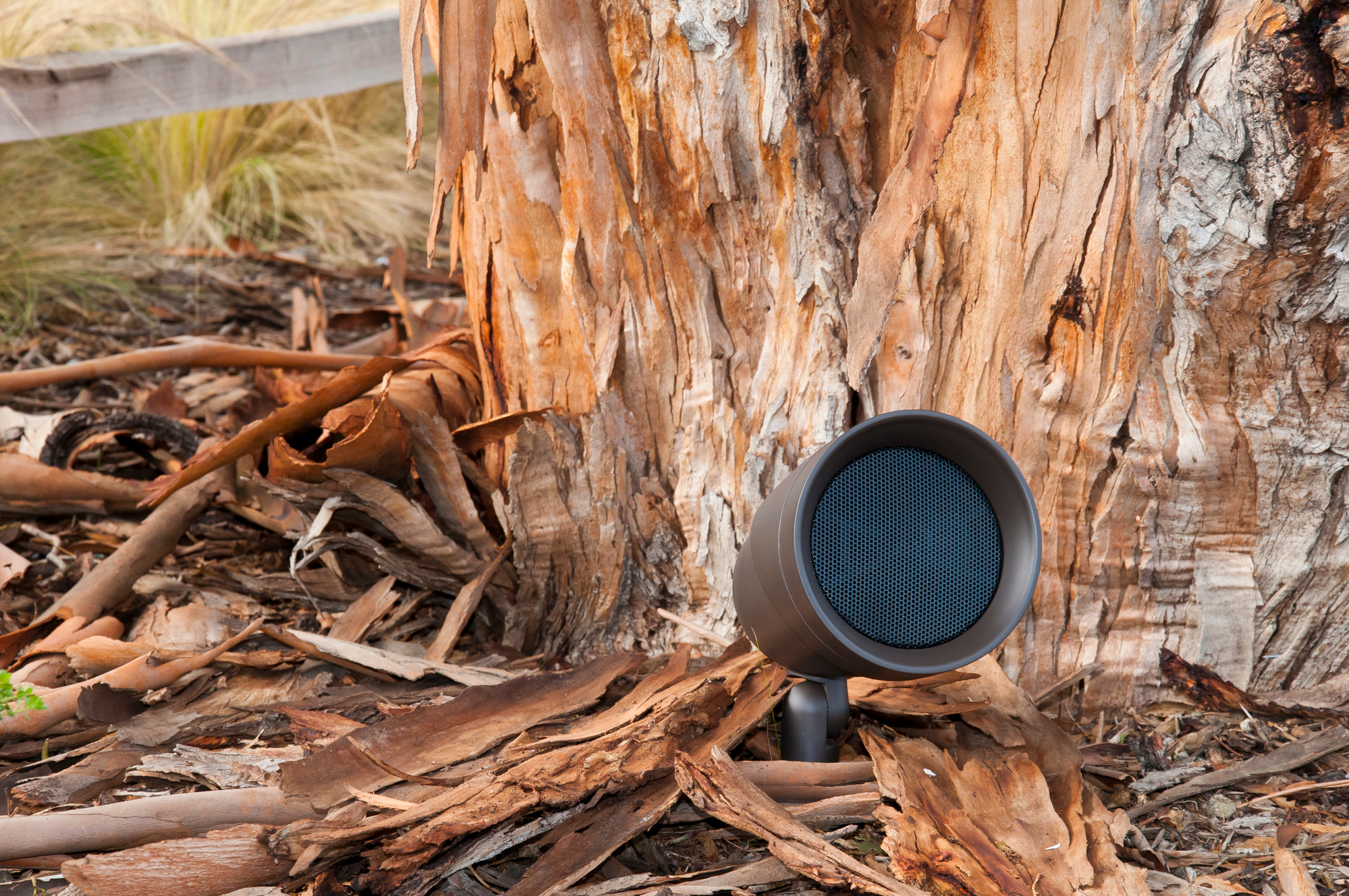
Outdoor Audio: Take the music outdoors at a conversational level that carries across the patio and pool area, with speakers finished to blend into the landscaping and architecture.
-
Weather-Resistant Displays: Outdoor-rated TVs designed to handle sun, humidity, and temperature swings, so football Saturdays and holiday movies can move outside.
-
Landscape Lighting: Lighting shapes paths, trees, dining, and gathering areas after the earlier sunsets, with one-tap preset lighting scenes ready to go when you are.
-
Patio Heaters: Warmth on demand, and when tied into your control system, a patio that's already comfortable when guests step outside.
-
Motorized Patio Shades: In Fort Worth summers, they add shade and cut heat gain. In cooler months, they block wind and low evening sun to keep the patio comfortable, all while maintaining a cord-free look and an uncluttered aesthetic.
-
Integrated Control: One touch can set the lighting for the evening and start the music, with the heaters already warming things up, all from a single interface instead of several apps.
How Does Your Outdoor Setup Connect to the Rest of the House?
Outdoor technology doesn't run on its own. Patio audio streams from an indoor source, and the heaters and lighting respond to the same control system as the rest of the house. Both depend on a network signal that has to make it through walls and across the yard.
That means the first cool evening of the season also tests the indoor system behind it. When music drops out on the patio or a lighting scene lags, the cause is often inside, due to the Wi-Fi or an aging controller.
The reverse holds too: a media room that struggles with a full house of guests will struggle to serve the backyard. So the smartest way to get ready for fall and winter is to look at the whole home in one pass, starting at the patio and ending at the media room.
Why Does a Professional Integrator Matter for a Home That Works Inside and Out?
Outdoor equipment lives outdoors. Placement, weatherproofing, and reliability determine whether a system works in December as well as it did in June, and Wi-Fi that stops short of the backyard is one of the most common reasons an outdoor setup disappoints. A professional integrator takes a comprehensive look at the entire property, indoors and out, and designs one system in which all the components work together and hold up year-round.
An integrator working alongside the project design team settles speaker locations, wiring needs, fixture selections, and finishes in step with the design intent. The final technology plan will support the design. Most Fort Worth homes already have a patio or pool area, and upgrades can be designed around what's already there. For trade partners, recommending an integrator like Allied Home Technologies that stays involved after handoff results in clients who stay happy with the finished space.
Your Patio-to-Media-Room Tech Checklist
Holiday hosting puts more people and more devices on your network, and it's when a slow system or a confusing remote shows up in front of guests. Whether you want a more automated home, steadier Wi-Fi, or better peace of mind, a quick audit before the season starts tells you what needs attention. Start outside after dark, then work your way in, and ask yourself:
-
Does everything outside respond? Turn on the patio audio, then run a lighting scene and the heaters from your control app.
-
How's the Wi-Fi from the patio to the media room? Walk the route your guests will take and notice dead zones or buffering when several people stream at once.
-
Is any equipment outdated? Look for equipment that lags or is no longer supported, especially anything a guest has to fight with.
-
Is the media room ready? It's where everyone lands when the weather turns, so everything should start with one command, and a guest should be able to use it without a tutorial.
-
Do preset scenes still work? "Patio Evening," "Movie Night," and "Away" should each run with a single touch or voice command.
If any answer is a shrug, that's worth knowing now, when it's easy to address, and not the week guests arrive.
Why Start Now?
Holiday gatherings don't wait, and a system that's checked in October is one you won't be troubleshooting in December. The same goes for the patio: a plan made this fall means the space is ready for the first cool evening, not the last one.
If you'd like a plan to make the most of your indoor and outdoor spaces, contact our team here. Design-and-build professionals are welcome to reach out, too.
When you subscribe to the blog, we will send you an e-mail when there are new updates on the site so you wouldn't miss them.